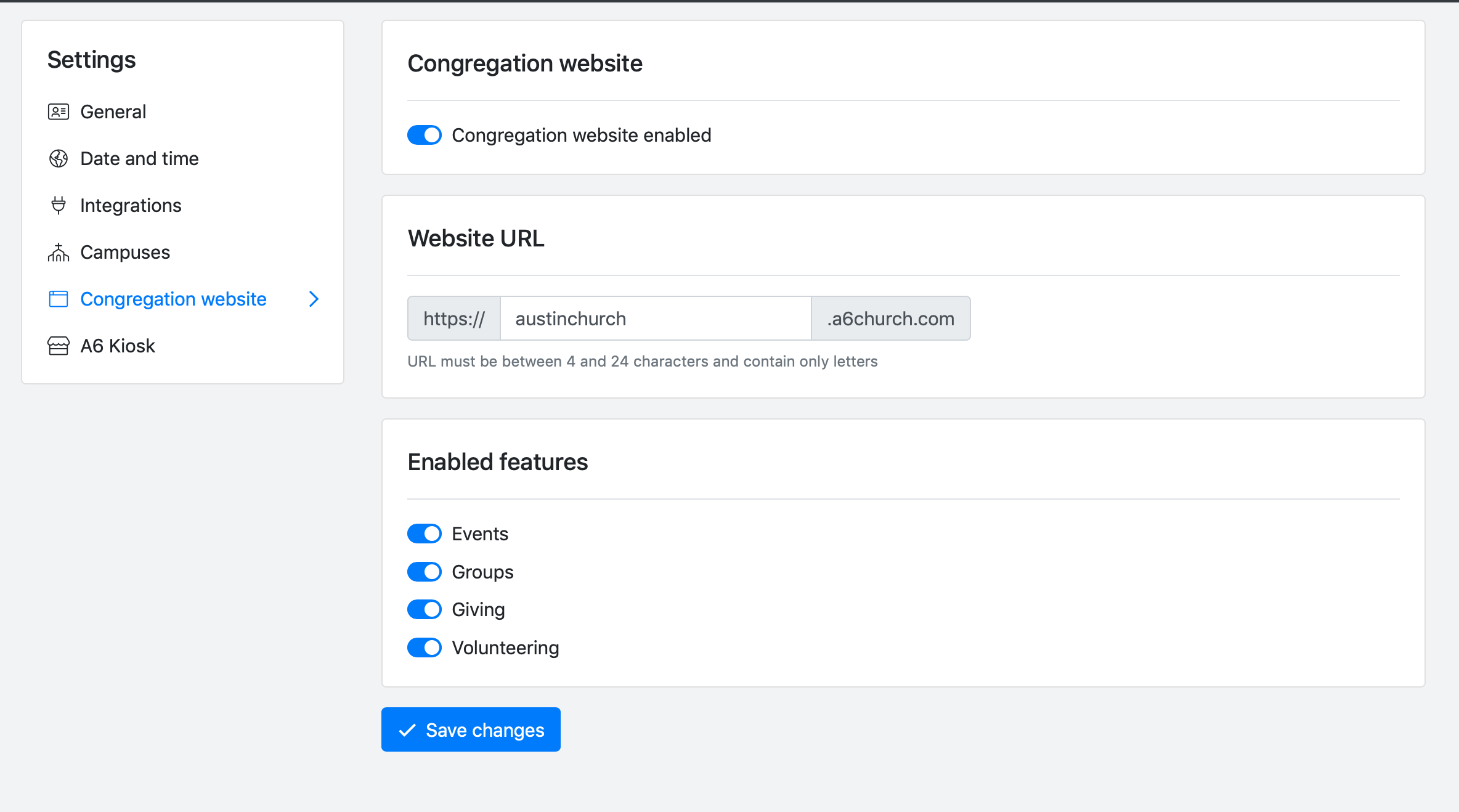
A6's congregation website is the place your people can visit to stay current on the latest announcements, view and register for events, give online, connect with their groups, and manage their volunteer requests.
Getting Started
- Go to Settings > Congregation website. You'll find settings in the menu at the top right of your screen inside of app.a6church.com.
- Enable your congregations website by toggling the "Congregation website enabled" switch.
- Choose a website url. Try to choose something familiar to your people. For example, "pccb" would be a great choice for Park City Community Church.
- Choose which features you'd like your people to see on the congregation website.
All done! Your congregation website is now ready for use! Try it out in your browser. For example, if you chose "pccb" on step 3 above, you'd navigate to https://pccb.a6church.com.